In-game
The F9 control panel, tab by tab
All eight tabs of the auto-timing relic — Relic, Attacks, Blocks, Skills, Results, Party, Stats and Info — every control explained, plus five ready-made ways to dial it in.
How the panel works
- F9 toggles it — rebindable from the Relic tab's title-bar Rebind button or the config file. Deliberately not F10, so it never collides with UngodlyGFX's panel.
- Drag the title bar to move it (position is remembered); scroll with the mouse wheel or the gold right-edge scrollbar. Every control prints its full plain-English explanation directly underneath it.
- Changes apply live — the relic syncs your values into the game every half-second and on the very next hit. Save Config Now forces a write to disk; the file also saves on clean game exit.
- Reset This Tab restores one tab's defaults. The bottom-right status chip always shows the relic's state — RELIC ON · idle out of combat, switching as the relic works.
- The escape hatch is total: Master Enabled off unregisters the relic, every patch passes straight through, and combat plays 100% stock — flippable mid-fight, effective on the very next hit.
Relic — master switches & panel settings
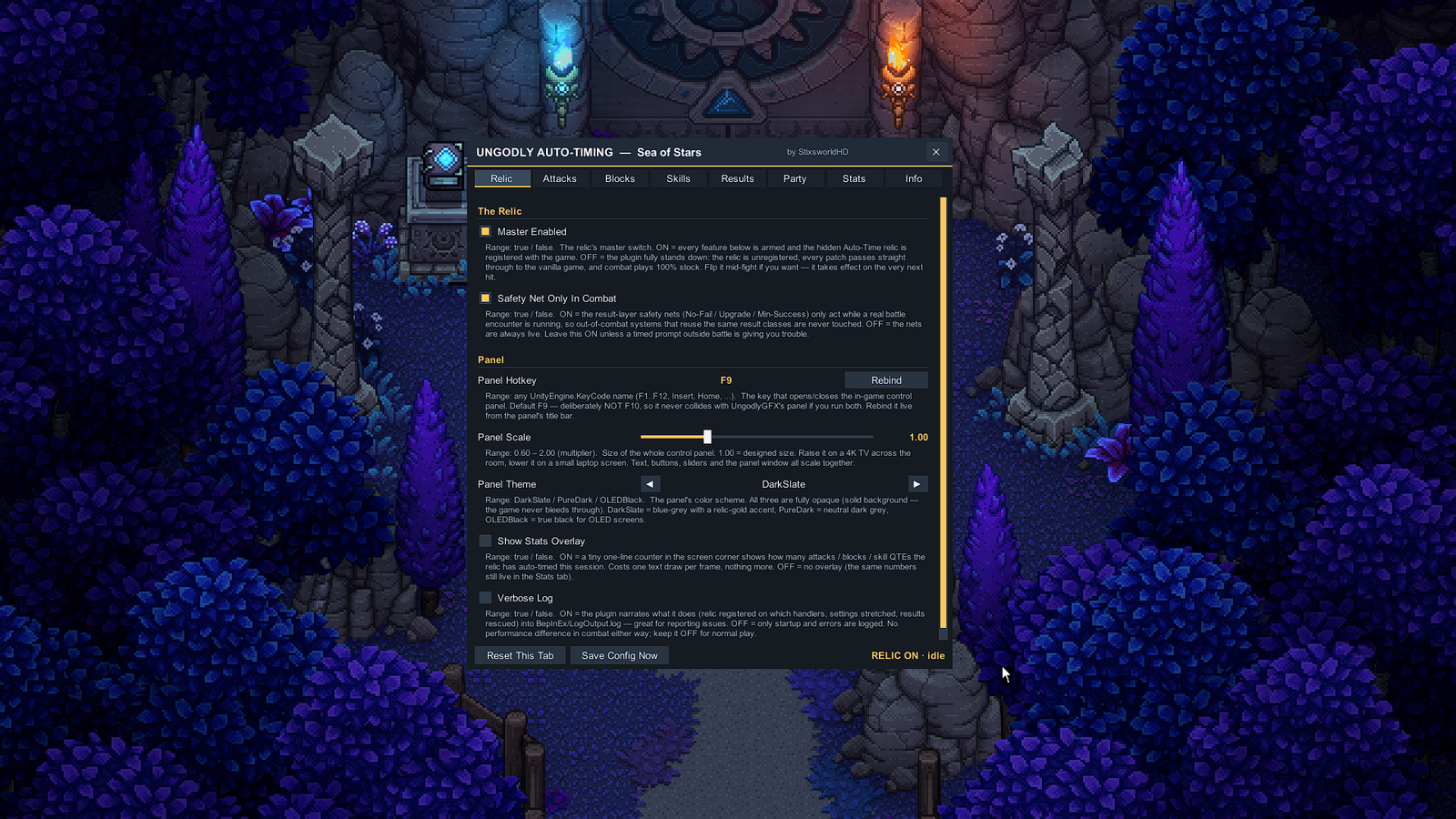
| Control | What it does |
|---|---|
| Master Enabled | The relic's master switch. On = every feature is armed and the hidden auto-time relic is registered with the game. Off = the plugin fully stands down: relic unregistered, every patch passes straight through, combat plays 100% stock. Takes effect on the very next hit. |
| Safety Net Only In Combat | On = the result-layer safety nets (No-Fail / Upgrade / Min-Success) only act while a real battle encounter is running, so out-of-combat systems that reuse the same result classes are never touched. Leave on unless a timed prompt outside battle is giving you trouble. |
| Panel Hotkey + Rebind | Default F9; the Rebind button captures any Unity KeyCode live. |
| Panel Scale | Size of the whole panel, 0.60–2.00. Raise it on a 4K TV across the room, lower it on a small laptop screen. |
| Panel Theme | DarkSlate (blue-grey with the relic-gold accent), PureDark, or OLEDBlack — all fully opaque; the game never bleeds through. |
| Show Stats Overlay | A tiny one-line corner counter of how many attacks / blocks / skill QTEs the relic has auto-timed this session. One text draw per frame; the same numbers always live on the Stats tab. |
| Verbose Log | On = the plugin narrates its work (relic registrations, stretched windows, rescued results) into BepInEx\LogOutput.log — great when reporting issues. Off for normal play; combat performance is identical either way. |
Attacks — your hits
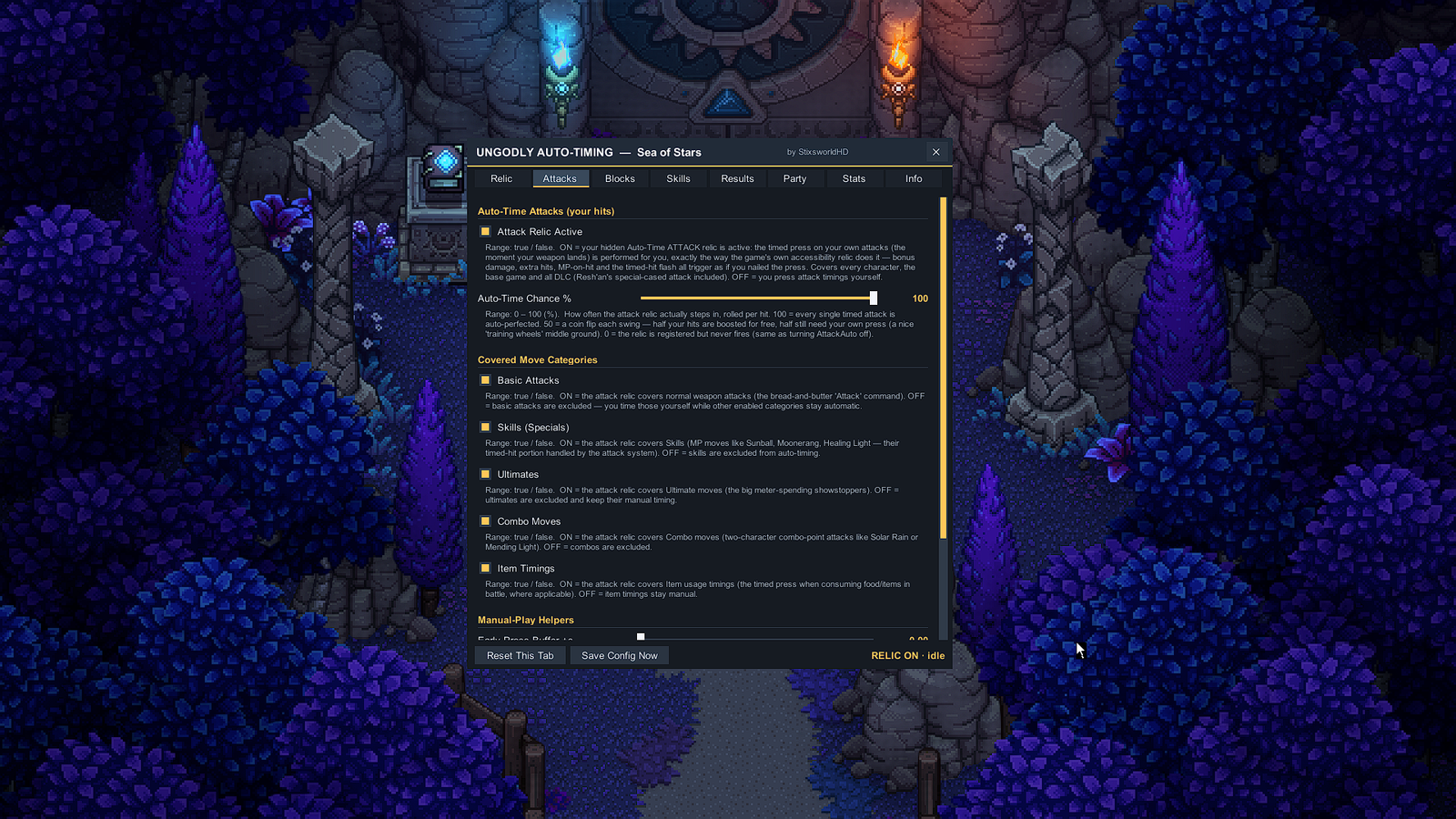
| Control | What it does |
|---|---|
| Attack Relic Active | On = the timed press on your own attacks is performed for you, exactly the way the game's accessibility relic does it — bonus damage, extra hits, MP-on-hit and the timed-hit flash all trigger as if you nailed the press. Covers every character, base game and all DLC (Resh'an's special-cased attack included). |
| Auto-Time Chance % | How often the relic actually steps in, rolled per hit, 0–100. 100 = every timed attack auto-perfected; 50 = a coin flip each swing — a nice "training wheels" middle ground; 0 = registered but never fires. |
| Covered Move Categories | Five independent filters: Basic Attacks, Skills (the timed-hit portion of MP moves like Sunball or Moonerang), Ultimates, Combo Moves (two-character combo-point attacks like Solar Rain), and Item Timings. Turn one off and you time that category yourself while the rest stay automatic. |
| Early Press Buffer +s | Manual-play helper, 0–1 s: extends how long an early attack press is remembered before the hit lands. 0.15 = comfortable; 1.00 = press basically any time before the hit. Matters for hits the relic isn't auto-timing. |
| Late Grace +s | Manual-play helper, 0–1 s: extra time on the after-hit "late is still fine" window, every time it opens. |
Blocks — enemy hits
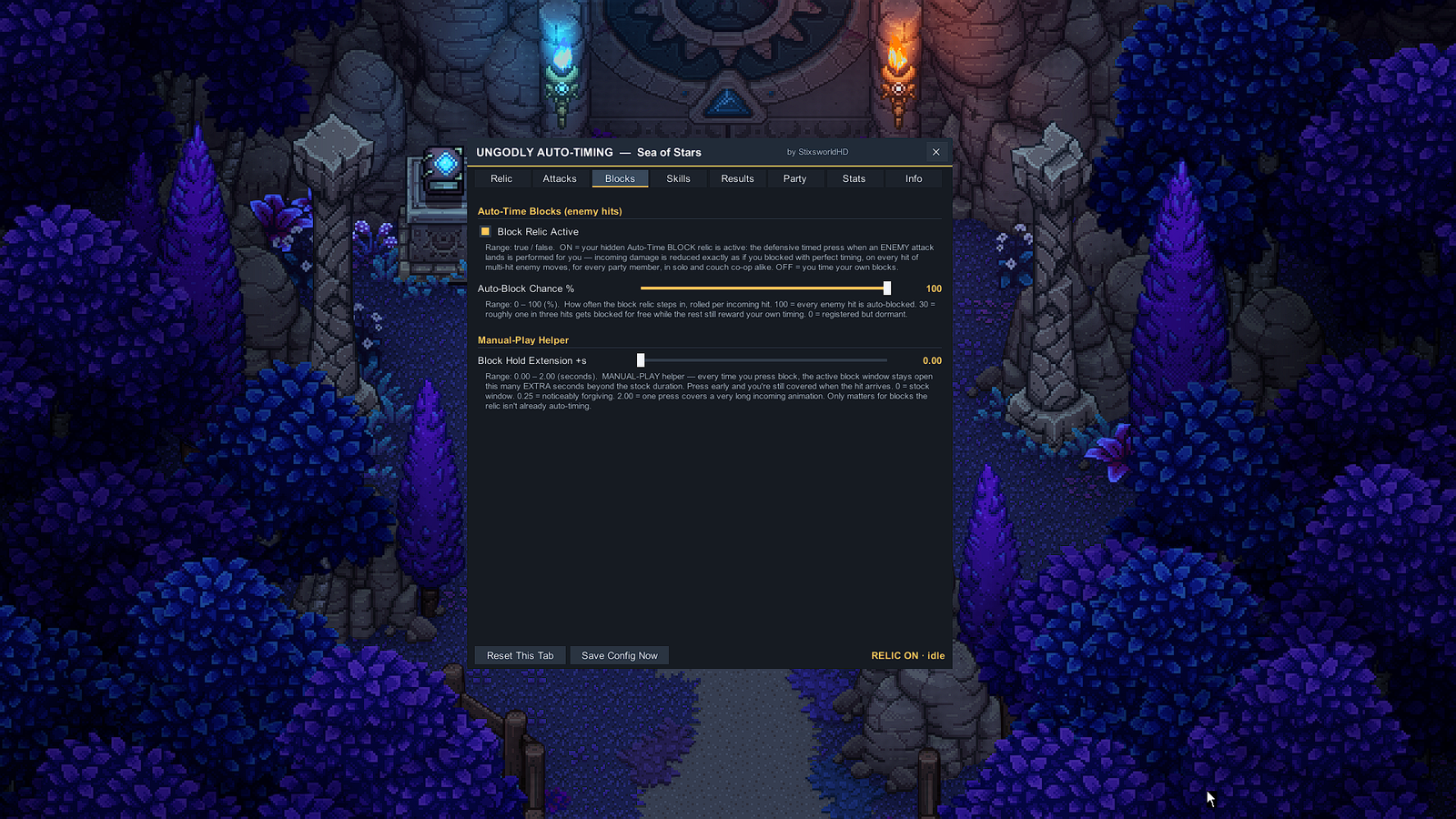
| Control | What it does |
|---|---|
| Block Relic Active | On = the defensive timed press when an enemy attack lands is performed for you — incoming damage reduced exactly as if you blocked with perfect timing, on every hit of multi-hit moves, for every party member, in solo and couch co-op alike. |
| Auto-Block Chance % | Rolled per incoming hit, 0–100. 30 = roughly one in three hits blocked for free while the rest still reward your own timing. |
| Block Hold Extension +s | Manual-play helper, 0–2 s: every block press keeps the active block window open this much longer. Press early and you're still covered when the hit arrives; 2.00 = one press covers a very long incoming animation. Only matters for blocks the relic isn't already auto-timing. |
Skills — the QTE system the built-in relics ignore
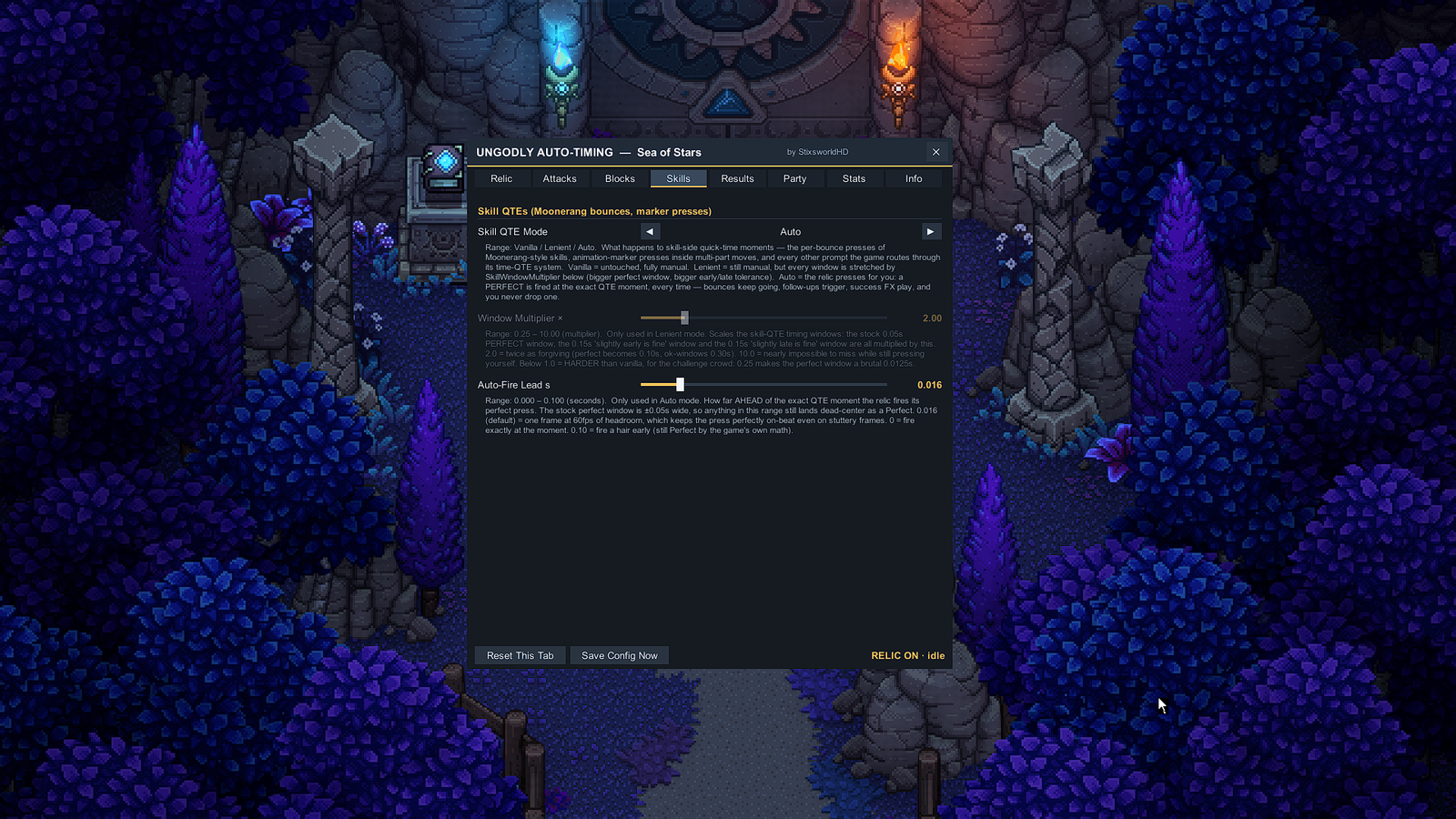
| Control | What it does |
|---|---|
| Skill QTE Mode | What happens to skill-side quick-time moments — Moonerang-style per-bounce presses, animation-marker presses inside multi-part moves, and every other prompt on the game's time-QTE system. Vanilla = untouched, fully manual. Lenient = still manual, but every window stretched by the multiplier below. Auto = the relic presses for you: a Perfect fired at the exact QTE moment, every time — bounces keep going, follow-ups trigger, success FX play. |
| Window Multiplier × | Lenient mode only, 0.25–10. Scales the stock 0.05 s perfect window and both 0.15 s early/late windows. 2.0 = twice as forgiving; 10.0 = nearly impossible to miss; below 1.0 = harder than vanilla — 0.25 makes the perfect window a brutal 0.0125 s. |
| Auto-Fire Lead s | Auto mode only, 0.000–0.100 s: how far ahead of the exact QTE moment the perfect press fires. The stock perfect window is ±0.05 s, so anything in this range still lands dead-center. Default 0.016 = one frame at 60 fps of headroom, keeping the press on-beat even on stuttery frames. |
Results — the universal safety net
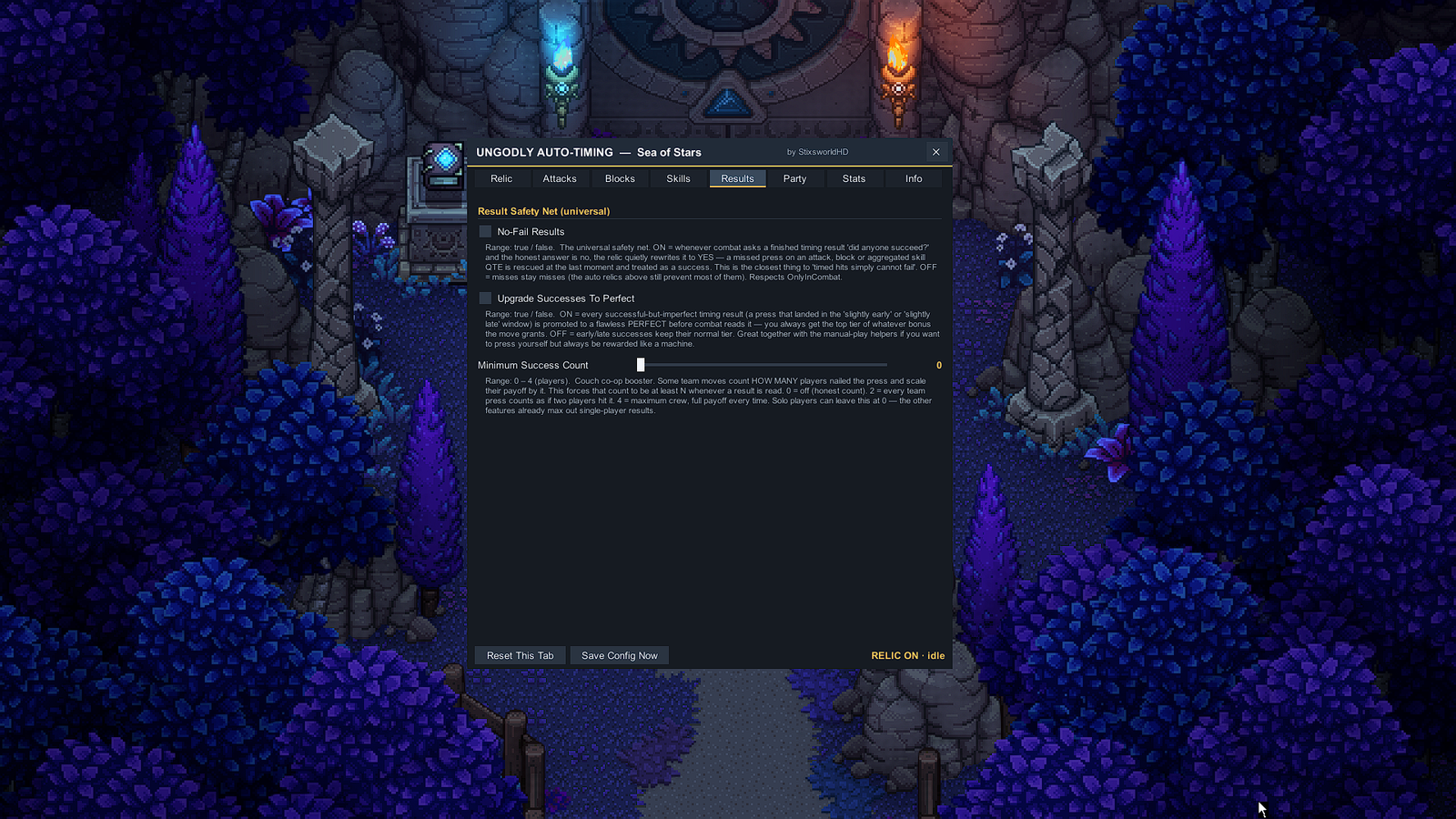
| Control | What it does |
|---|---|
| No-Fail Results | The universal net: whenever combat asks a finished timing result "did anyone succeed?" and the honest answer is no, the relic quietly rewrites it to yes — a missed press on an attack, block or aggregated skill QTE is rescued at the last moment. The closest thing to "timed hits simply cannot fail". Respects the combat-only gate. |
| Upgrade Successes To Perfect | Every successful-but-imperfect press (landed in the "slightly early" or "slightly late" window) is promoted to a flawless Perfect before combat reads it — always the top tier of whatever bonus the move grants. Great with the manual-play helpers: your presses, machine rewards. |
| Minimum Success Count | Couch-co-op booster, 0–4 players. Some team moves scale their payoff by how many players nailed the press; this forces that count to at least N. 0 = honest count; 4 = maximum crew, full payoff every time. Solo players can leave it at 0 — the other features already max out single-player results. |
Party — which characters the relic serves
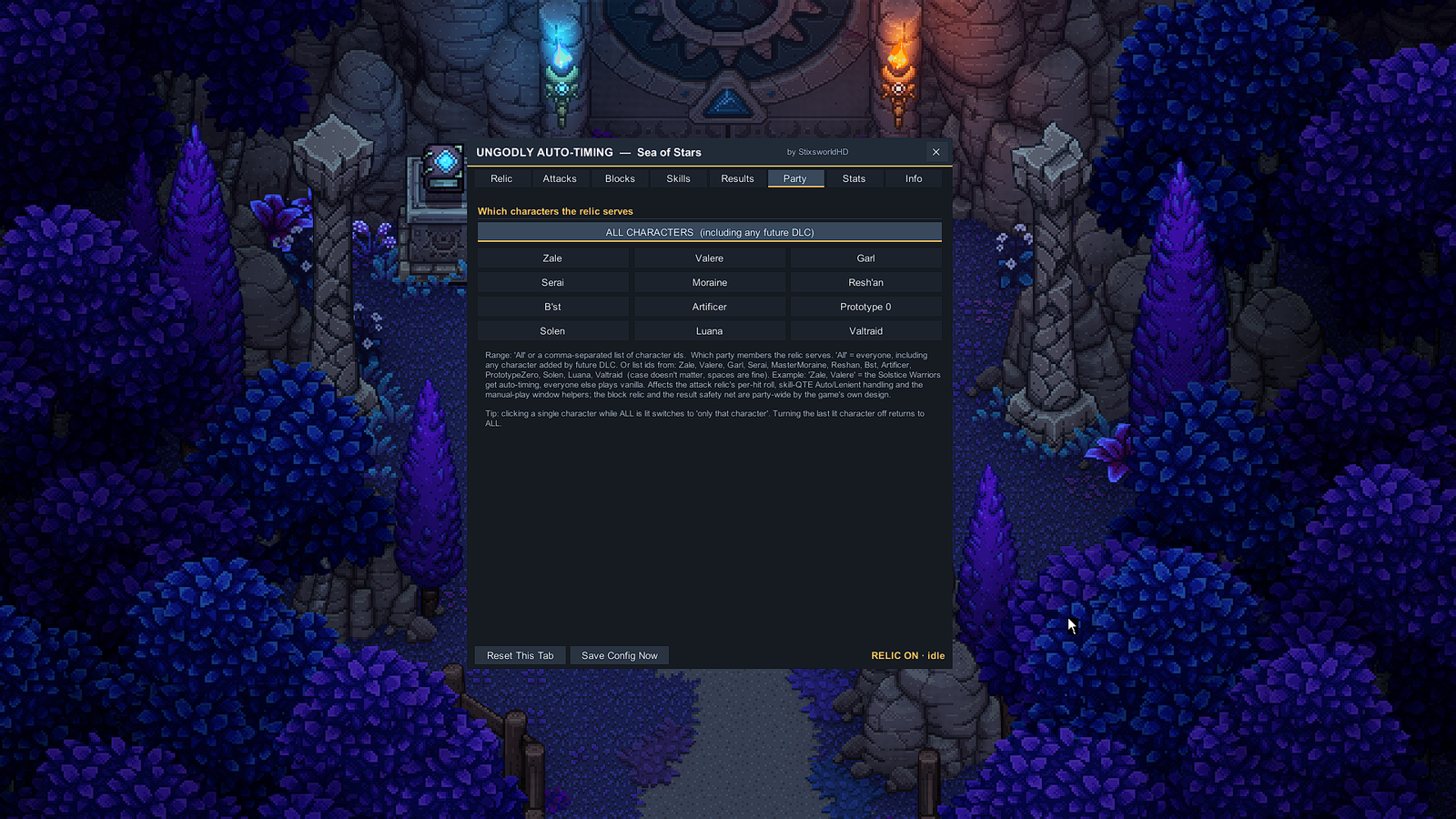
One button serves all characters — including anyone added by future DLC — or click individual names to light up an exact subset: Zale, Valere, Garl, Serai, Moraine, Resh'an, B'st, Artificer, Prototype 0, Solen, Luana and Valtraid. Clicking a single character while ALL is lit switches to "only that character"; turning the last lit character off returns to ALL. The selection affects the attack relic's per-hit roll, the skill-QTE Auto/Lenient handling and the manual-play window helpers; the block relic and the result safety net are party-wide by the game's own design.
Stats — live session counters
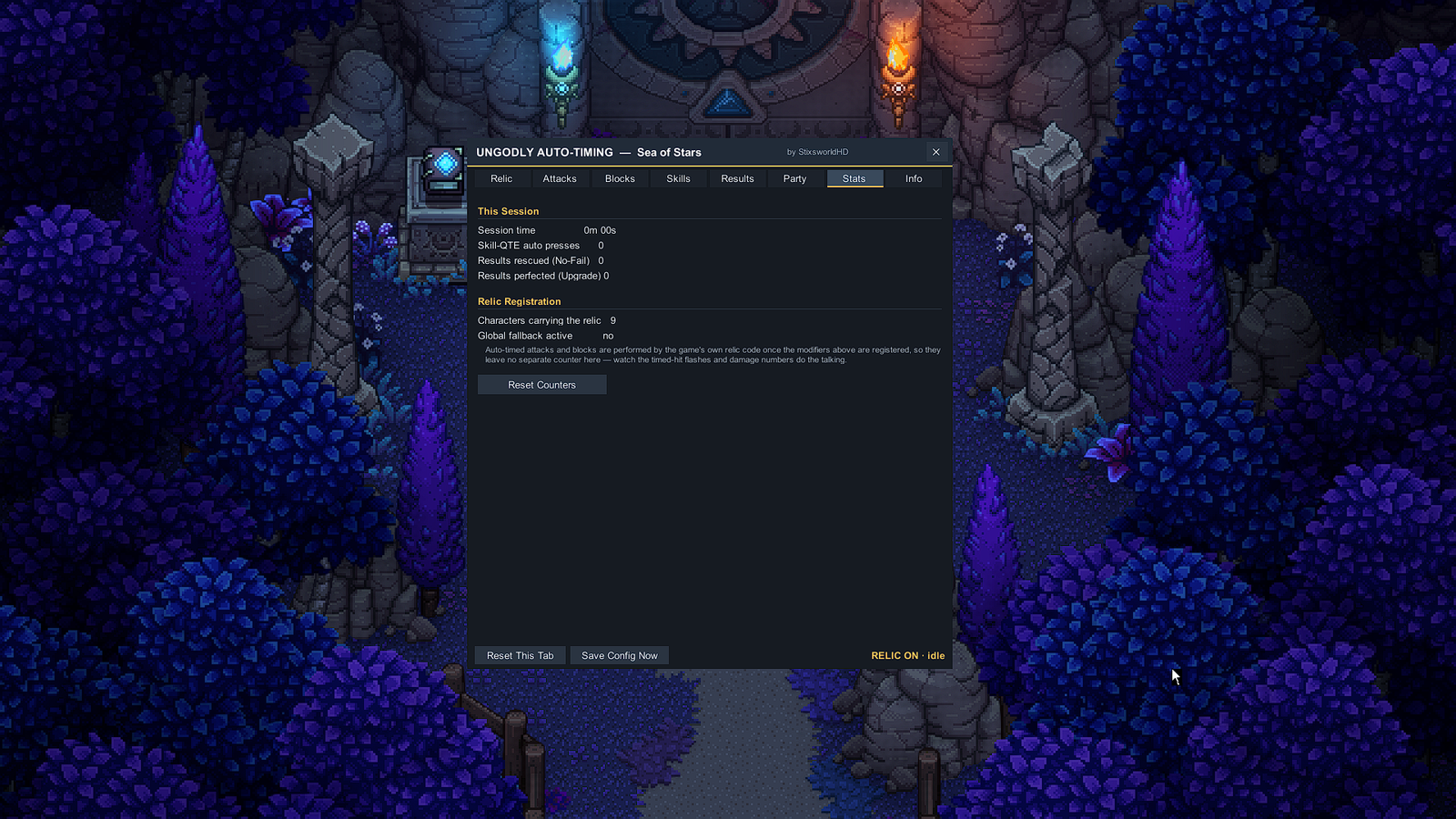
This Session counts the session time, skill-QTE auto presses, results rescued (No-Fail) and results perfected (Upgrade) — resettable with one button, and mirrorable to the corner overlay from the Relic tab. Relic Registration shows how many characters currently carry the relic and whether the global fallback is active. One honest quirk explained right on the tab: auto-timed attacks and blocks are performed by the game's own relic code once the modifiers are registered, so they leave no separate counter here — watch the timed-hit flashes and damage numbers do the talking.
Info — version, compatibility & files
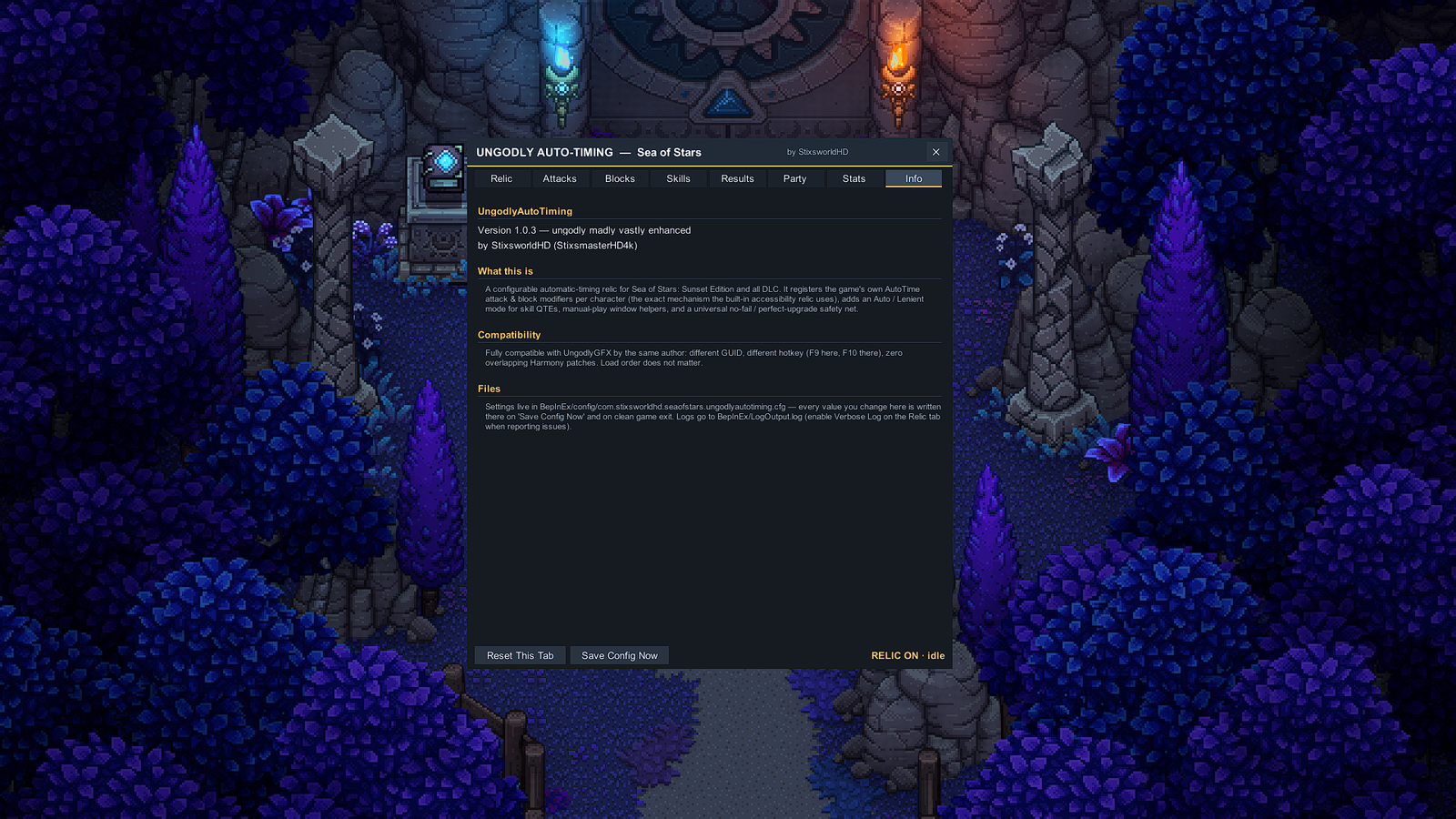
The at-a-glance card: version and author, a summary of the mechanism (the relic registers the game's own AutoTime attack & block modifiers per character — the exact machinery the built-in accessibility relic uses), the UngodlyGFX compatibility statement (different GUID, different hotkey, zero overlapping Harmony patches, load order irrelevant), and the on-disk paths for the config and the log.
Five ways to dial it in
🎮 Easier, but still mine
Attack & Block chance 40–60% · Skill QTEs Lenient ×2 · press buffer and late grace at 0.15 s. Half your hits boosted for free, the rest gently assisted.
🏆 I press everything — max rewards
Attack & Block auto off · Skill QTEs Vanilla · Upgrade to Perfect on. Your real presses, always top-tier payoff.
📚 Story mode — zero timing
Defaults + No-Fail on. Timed inputs simply cannot fail.
🔥 Actually, make it HARDER
Everything off except Skill QTEs Lenient at ×0.25 — the perfect window shrinks to 0.0125 s. Good luck.
🤝 Per-character
The Party tab: serve only the characters you choose — e.g. only Garl, because Garl deserves it — while everyone else plays vanilla.
Prefer editing on disk, or want every default and range in one table? The config file reference maps all 28 settings.