Part 4 of 4
Install UngodlyAutoTiming v1.0.3
The second plugin — fully independent of the first: one merged folder drops the automatic-timing relic and its documented config into place. Launch, press F9, and the game's timed hits are yours to automate.
Same drill as Part 3, different plugin — and fully independent of it: UngodlyAutoTiming needs only
the loader from Parts 1–2, not UngodlyGFX. You'll need
SeaOfStars-UngodlyAutoTiming-v1_0_3.rar from the downloads page.
-
Open the plugin archive
Inside
SeaOfStars-UngodlyAutoTiming-v1_0_3.raris one folder,SeaOfStars-UngodlyAutoTiming-v1_0_3, containing a ready-madeBepInExfolder and the plugin'sREADME.md:SeaOfStars-UngodlyAutoTiming-v1_0_3\ ├── BepInEx\ │ ├── config\com.stixsworldhd.seaofstars.ungodlyautotiming.cfg │ └── plugins\SeaOfStars.UngodlyAutoTiming.dll └── README.md -
Merge the
BepInExfolder into the game folderWith the game closed, drag the
BepInExfolder from insideSeaOfStars-UngodlyAutoTiming-v1_0_3into the game root (…\steamapps\common\Sea of Stars) and confirm the merge. Two files land:BepInEx\plugins\SeaOfStars.UngodlyAutoTiming.dllandBepInEx\config\com.stixsworldhd.seaofstars.ungodlyautotiming.cfg— right next to their UngodlyGFX counterparts if you did Part 3. Nothing is written anywhere else. -
Launch the game and press F9
Boot the game and tap F9 — deliberately not F10, so it never collides with UngodlyGFX's panel if you run both. The 8-tab relic panel opens on its own solid layer:
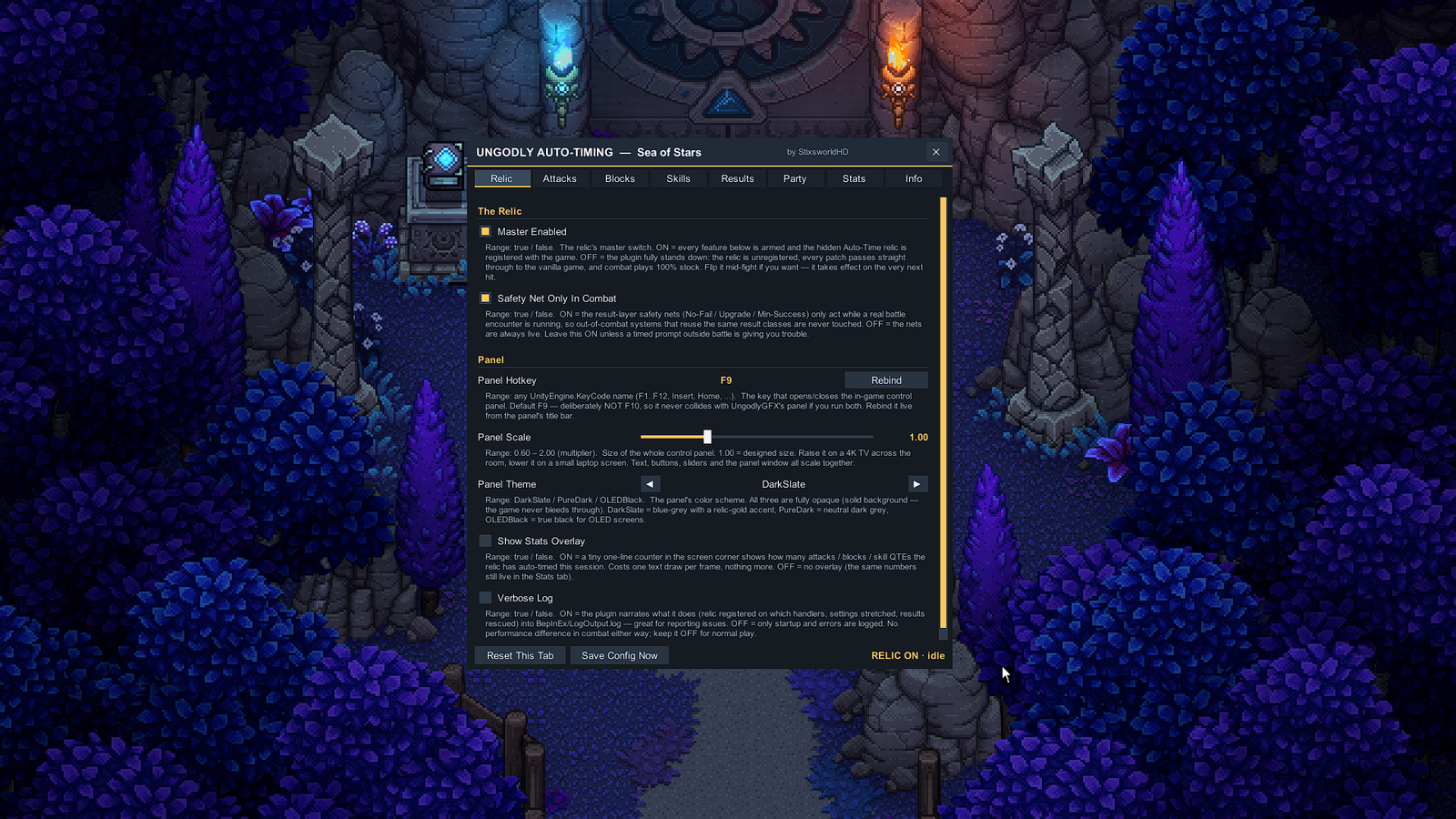
First contact: the Relic tab. The status chip in the bottom-right corner — RELIC ON · idle here — always shows whether the relic is armed and what it's doing. -
Know what the defaults do
Out of the box the relic is at full power: attacks and blocks auto-time at 100%, skill QTEs are on Auto, and the manual-play helpers and safety net are off (they're redundant at 100% auto). Timed hits simply work from the first battle. If you'd rather sculpt it — training-wheels percentages, harder-than-vanilla windows, per-character service — the panel guide ends with five ready-made recipes.
-
Optional: the thirty-second proof
Once you're in a save with a party,
BepInEx\LogOutput.logcarries one line that confirms the relic genuinely registered on the game's own modifier handlers:Relic live — registered on 9 character handler(s).The count matches however many characters your save has unlocked. The same number shows live on the panel's Stats tab under Relic Registration.
If F9 does nothing
Same ninety-second diagnosis as the other plugin: open BepInEx\LogOutput.log and look for
the UngodlyAutoTiming banner. No banner — the DLL isn't in
BepInEx\plugins, or the loader install went into the wrong folder.
Banner but no panel — another app owns F9; rebind via
PanelKey in the config file or live from the
panel's title bar once you get it open on another machine. Full decision tree in
troubleshooting.
Updating the plugin later
Same merge, newer archive: replace SeaOfStars.UngodlyAutoTiming.dll when asked. Your config — including
panel position, theme and rebound hotkey — is preserved unless the release notes for that version say
otherwise.
That's the full install. Next: every tab of the relic — the F9 panel, tab by tab.