Part 3 of 4
Install UngodlyGFX v2.0.1
The easy part: one merged folder drops the plugin DLL and its fully documented config into place. Launch, press F10, and the panel is yours.
With the framework running, the plugin install is a single folder merge. You'll need
SeaOfStars-UngodlyGFX-v2_0_1.rar from the downloads page.
-
Open the plugin archive
Inside
SeaOfStars-UngodlyGFX-v2_0_1.raris one folder,SeaOfStars-UngodlyGFX-v2_0_1, containing a ready-madeBepInExfolder and the plugin'sREADME.md:SeaOfStars-UngodlyGFX-v2_0_1\ ├── BepInEx\ │ ├── config\com.stixsworldhd.seaofstars.ungodlygfx.cfg │ └── plugins\SeaOfStars.UngodlyGFX.dll └── README.md -
Merge the
BepInExfolder into the game folderWith the game closed, drag the
BepInExfolder from insideSeaOfStars-UngodlyGFX-v2_0_1into the game root (…\steamapps\common\Sea of Stars) — the same place you worked in Part 1. Windows will ask to merge it with the existingBepInExfolder: confirm the merge (and confirm replacing files if you're reinstalling). The mod's folder structure mirrors the game's on purpose, so everything falls into its correct slot in one motion.The
README.mdcan stay in the archive — it's the offline copy of the documentation this site is built from. Keeping it somewhere is never a bad idea. -
Verify the two files landed
The merge places exactly two files. Click either screenshot to confirm against the real thing:
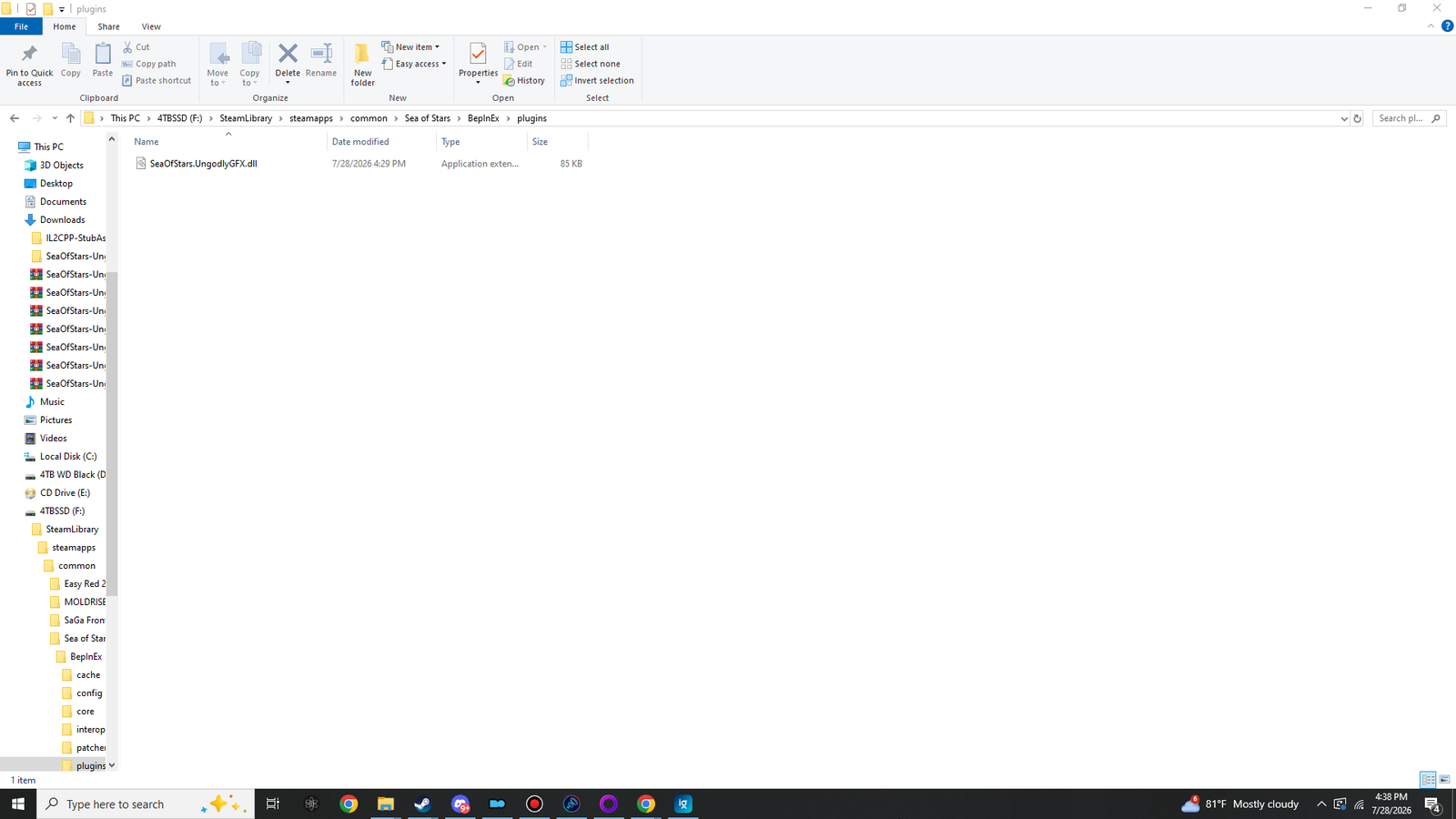
BepInEx\plugins\SeaOfStars.UngodlyGFX.dll— the plugin itself, a single 87 KB DLL.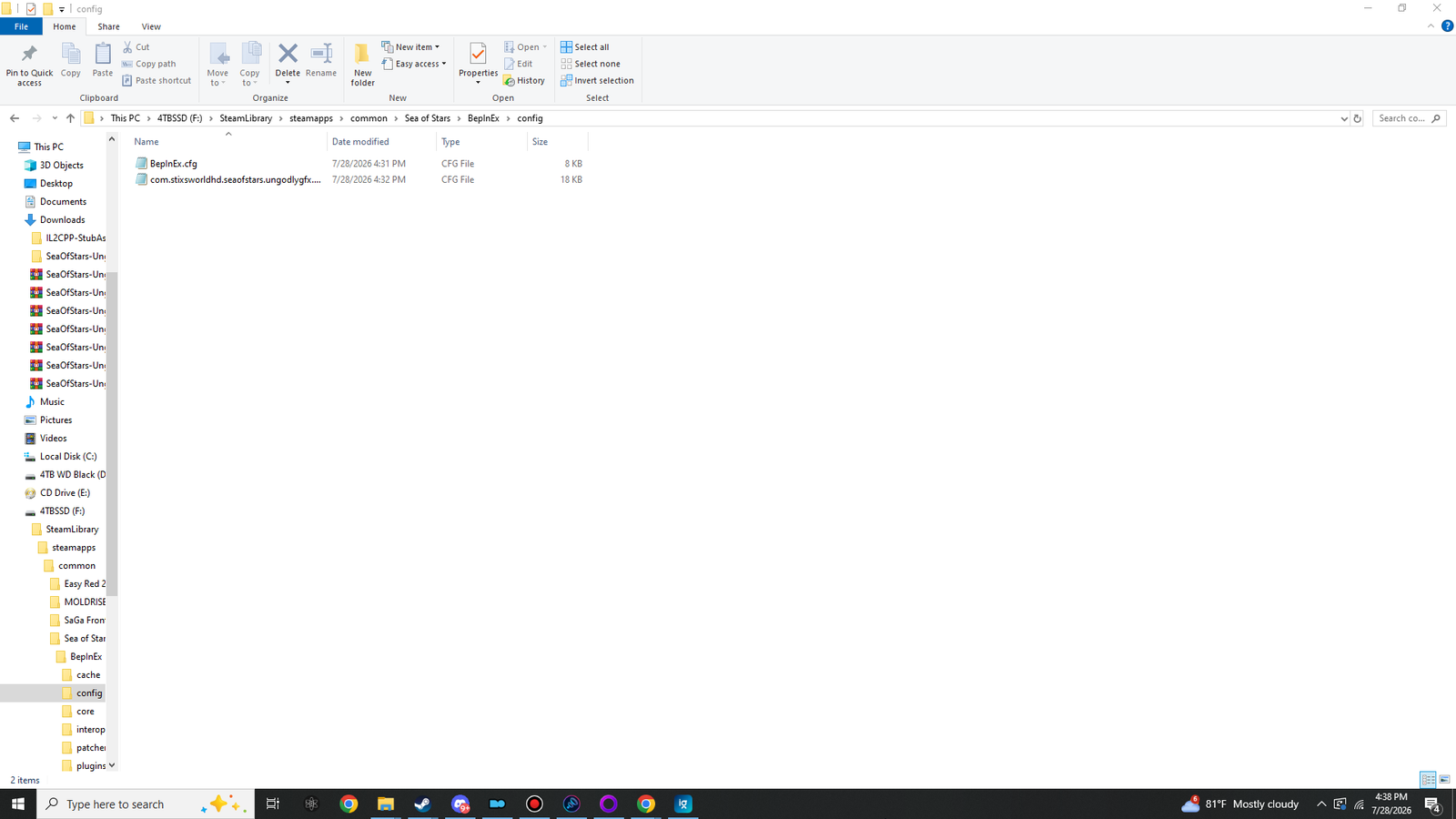
BepInEx\config\com.stixsworldhd.seaofstars.ungodlygfx.cfg— the pre-made, fully documented config, sitting next to the framework's ownBepInEx.cfgfrom Part 2. -
Launch the game and press F10
Boot the game — no regeneration wait this time — and tap F10 anywhere, even on the title screen. The panel opens on its own solid layer, the mouse cursor appears while it's open, and every change you make applies live. Welcome to the good place.
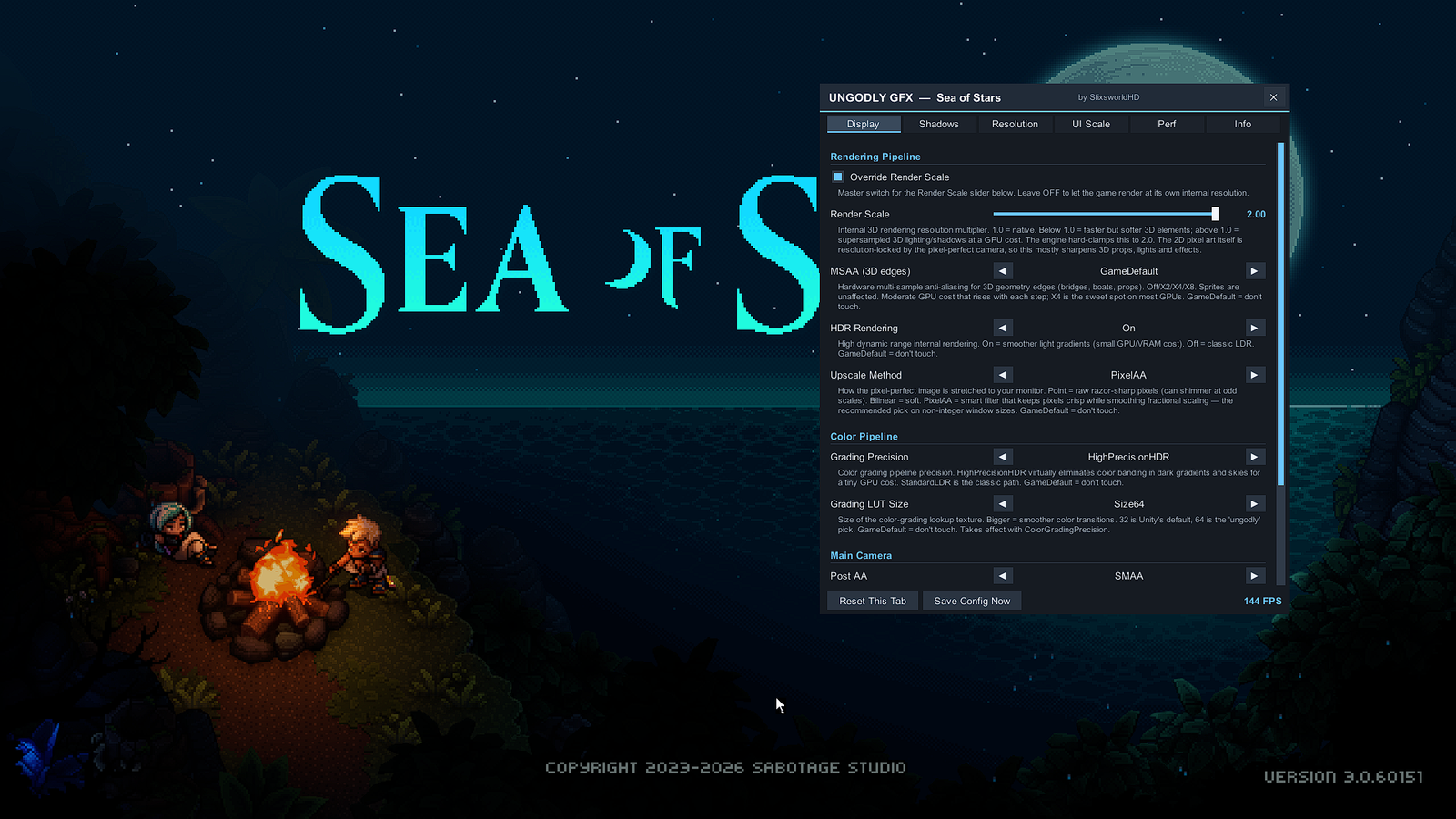
First contact: the panel's Display tab. Drag the title bar to move it, scroll with the mouse wheel, and read the built-in explanation under every control.
If F10 does nothing
Ninety seconds of diagnosis: open BepInEx\LogOutput.log and look for the UngodlyGFX
banner. No banner means BepInEx isn't loading the DLL — almost always the file isn't
actually in BepInEx\plugins, or Part 1 went into the wrong folder.
Banner but no panel usually means another app owns F10 — rebind the key
from the config file. The full decision tree is in
troubleshooting.
Updating the plugin later
Same merge, newer archive: replace SeaOfStars.UngodlyGFX.dll when asked. Your config —
including panel position, theme and rebound hotkey — is preserved unless the release notes for that
version say otherwise.
Installation complete. From here, either add the second plugin — Part 4: UngodlyAutoTiming — or head straight into the guided tour of every tab: the F10 panel, tab by tab.