The guide
Ungodly mods for Sea of Stars: Sunset Edition
A complete, screenshot-verified walkthrough for installing BepInEx 6 (IL2CPP x64) into Sea of Stars: Sunset Edition and dropping StixsworldHD's plugins on top — UngodlyGFX v2.0.1 for graphics, resolution and UI scaling on F10, and UngodlyAutoTiming v1.0.3, the configurable automatic-timing relic, on F9.
What you're installing
This guide covers one loader and two plugins that run on it — install both plugins or just the one you want; they're fully independent. Everything is provided on the downloads page as specifically configured, ready-to-drop archives — no hunting through GitHub releases, no guessing which build works with this game.
The loader
BepInEx 6.0.0-be.785 — Unity.IL2CPP, win-x64
The plugin framework that boots inside the game. Sea of Stars: Sunset Edition is an
IL2CPP build of Unity 2021.3.25, which means the classic BepInEx 5
you may know from Mono games will not load here — you need BepInEx 6's dedicated IL2CPP
build. This package is bleeding-edge build 6.0.0-be.785 (commit 6abdba4), pre-configured for this exact game — details on the
requirements page.
Plugin 1 · graphics — F10
UngodlyGFX v2.0.1
Ungodly madly vastly enhanced graphics + UI scaling — a performance-first plugin by StixsworldHD that puts the game's entire rendering pipeline in your hands through a fully custom in-game panel on F10. Everything applies live, nothing needs a restart, and anything returned to GameDefault is restored to exactly what the game shipped with.
Plugin 2 · gameplay — F9
UngodlyAutoTiming v1.0.3
The timed-hit system, ungodly madly vastly enhanced — and, if you want, fully automated. A configurable super-relic by StixsworldHD that registers the game's own auto-timing machinery on every party member, automates the skill QTEs the built-in relics never covered, and backs it all with a universal no-fail safety net — every knob live on an 8-tab panel on F9. Flip the master switch off mid-fight and combat is 100% stock again.
What UngodlyGFX actually does
The panel drives six areas of the engine. Every control has a plain-English explanation printed directly beneath it in game, and every setting also lives in a fully documented config file — the panel guide and config reference cover all of it.
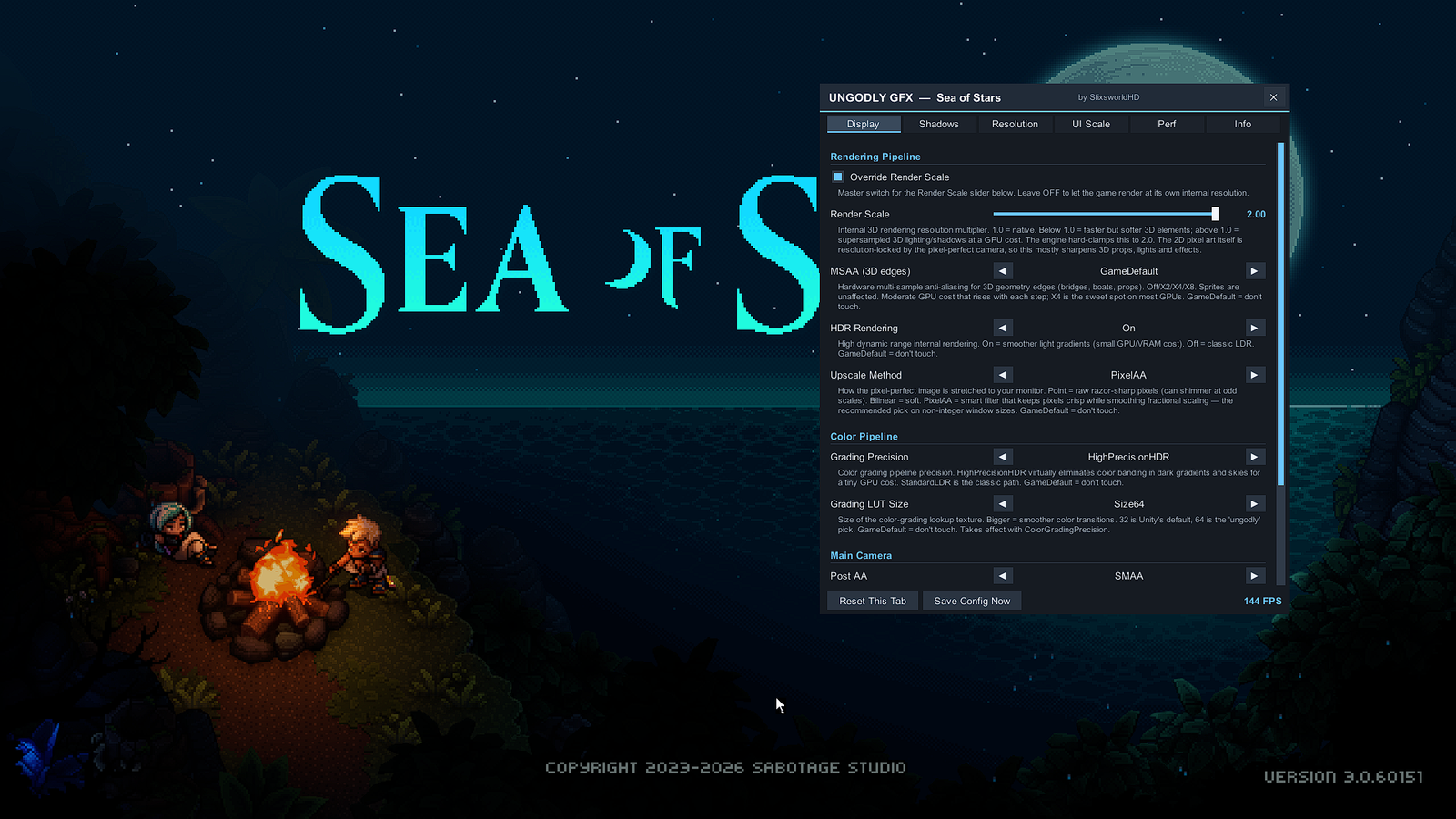
- Display & pipeline — render scale up to 2.0× supersampling, MSAA up to 8×, HDR rendering, a pixel-art upscale filter (Point / Bilinear / PixelAA), HDR color-grading precision with LUT sizes up to 64, per-camera SMAA/FXAA and banding dithering.
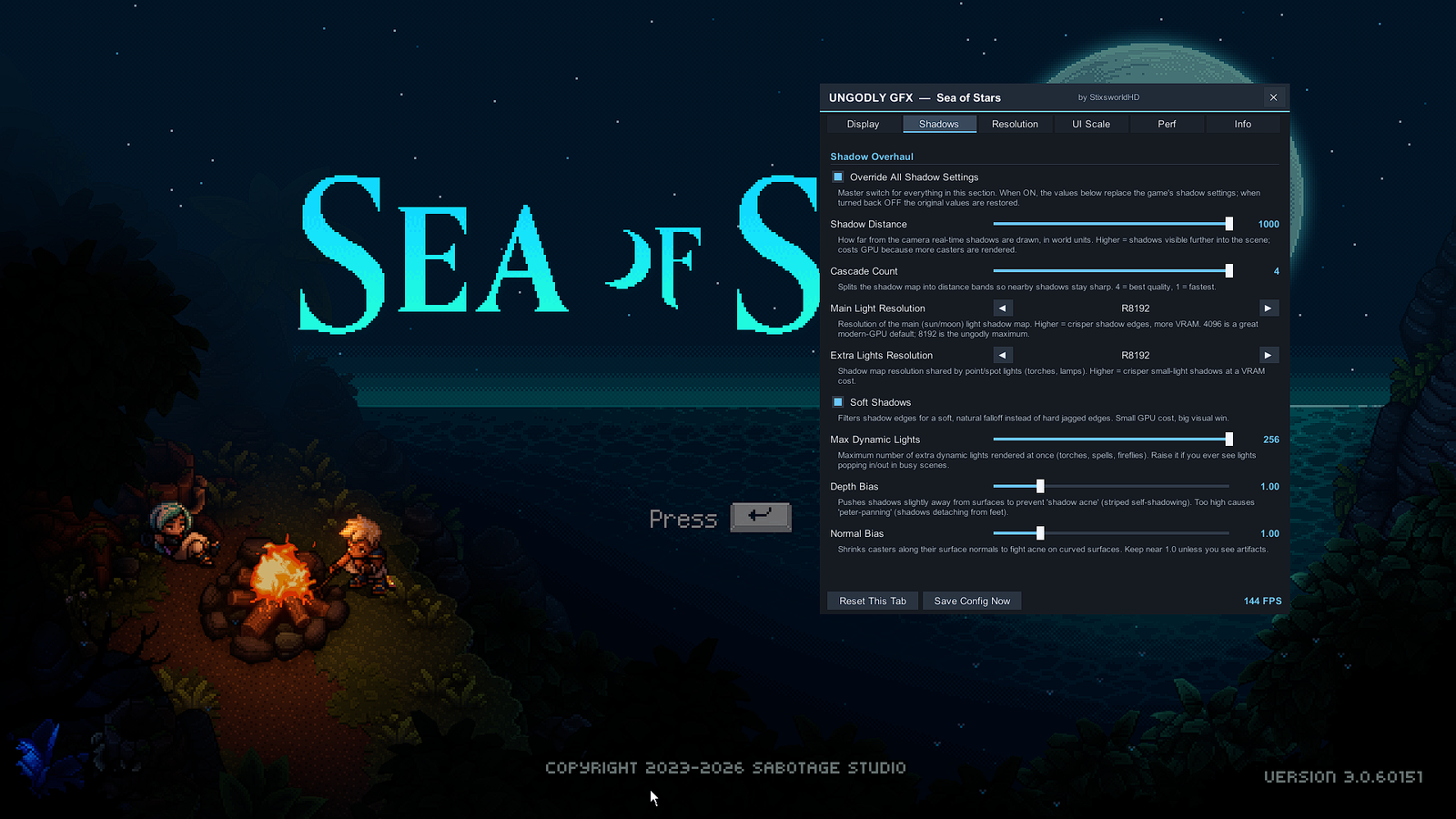
- Shadow overhaul — shadow distance to 1000 units, 4 cascades, main-light shadow maps up to 8192 px, additional-light maps to 8192 px, soft shadows, up to 256 simultaneous dynamic lights, and bias tuning.
- Resolution & aspect — every display mode your monitor reports, listed with its aspect ratio calculated for you; one click switches to it live, with your choice of exclusive, borderless, maximized or windowed mode and refresh rate. An adaptive UI anti-stretch fix keeps the interface correctly proportioned on 21:9, 32:9, 16:10, 4:3 — any aspect.
- UI scaling — one master slider for the whole interface plus individual multipliers for all seven of the game's UI layers (BACK, MAIN, PROMPT, MODAL, CONSOLE, VIDEO, OVERLAY).
- Frame pacing — uncap the frame rate or hard-cap it anywhere from 30 to 1000 FPS with per-frame enforcement, plus an optional always-on FPS overlay.
- Diagnostics — per-module master switches, a live status readout, three panel themes, per-tab and global resets, and instant config saving.
What UngodlyAutoTiming actually does
Sea of Stars ships accessibility relics that auto-time some hits. This plugin is those relics rebuilt without limits — driven by the game's own machinery, so damage bonuses, MP rewards and the timed-hit flash are pixel-identical to nailing every press yourself:
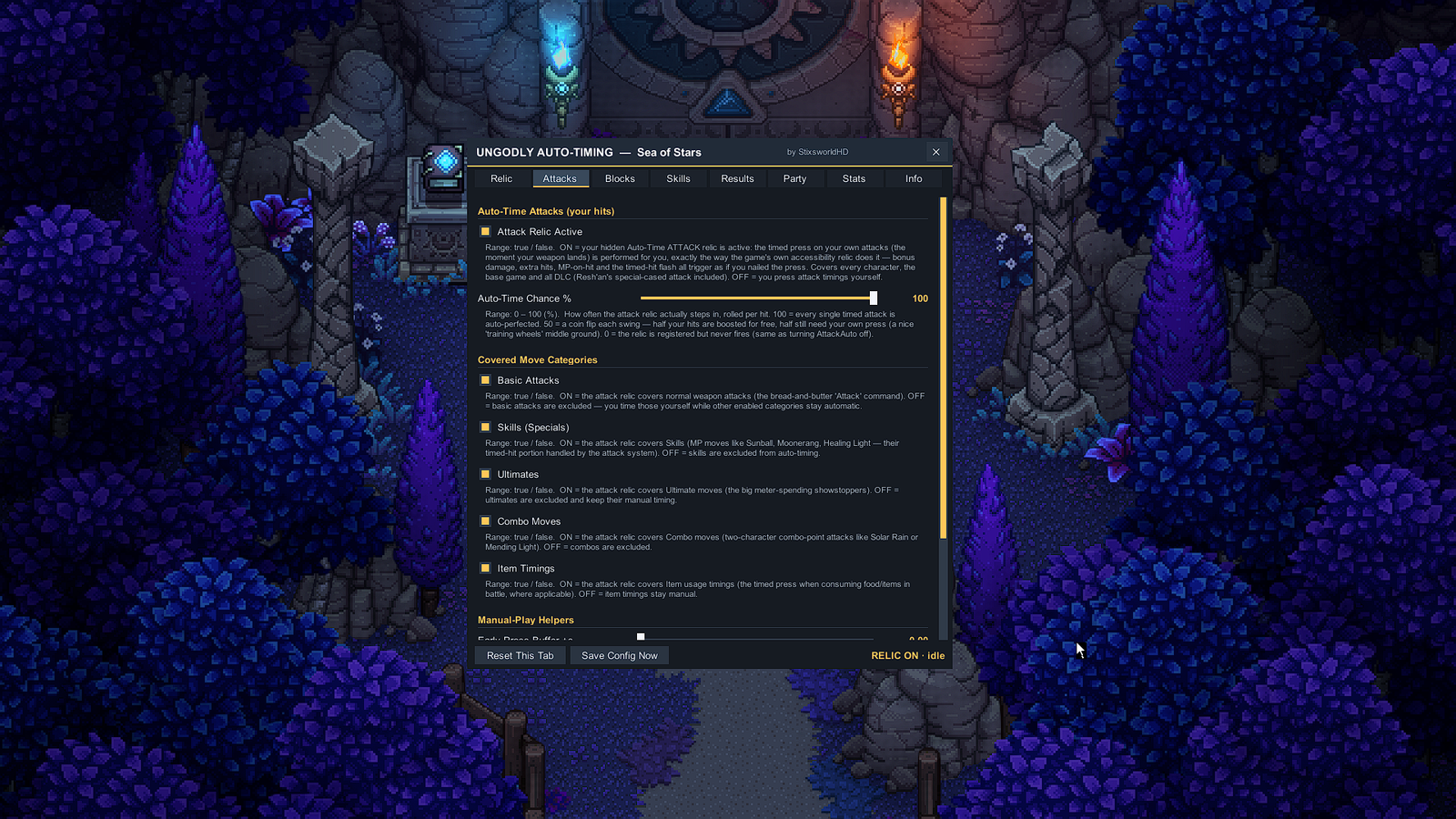
- Auto-time attacks — the timed press on your own hits is performed for you through the exact modifier the built-in relic uses, with a per-hit chance slider (0–100%), per-category filters (basic attacks, skills, ultimates, combos, item timings) and per-character control. Covers the base roster and every DLC character, Resh'an's special-cased attack included.
- Auto-time blocks — the defensive press when enemies hit you, on every hit of multi-hit moves, for every party member, in solo and couch co-op — with its own chance slider.
- Skill-QTE Auto / Lenient — Moonerang bounces and the marker presses inside multi-part moves run on a separate QTE system the built-in relics ignore. Three modes: Vanilla, Lenient (windows stretched by a multiplier — or shrunk below 1.0 if you want it harder than vanilla), and Auto (a flawless Perfect fired at the exact moment, every time).
- Manual-play helpers — for the presses you keep: an early-press buffer, a late-press grace, and a block-hold extension, each up to a couple of extra seconds.
- Result safety net — No-Fail rewrites genuinely missed results to successes the instant combat reads them, Upgrade-to-Perfect promotes every early/late success to the top tier, and a couch-co-op booster can force team-press counts to maximum crew.
- The panel — 8 tabs on F9, live session stats, three opaque themes, and the same plain-English explanation under every control.
The route — three parts plus one, about ten minutes
Start with Requirements and Downloads if you haven't already — everything else assumes the archives you need are on disk.
A look at the UngodlyGFX panel
The panel is a fully custom widget toolkit drawn from primitives — solid, opaque, draggable, rebindable, and themable. These screenshots (click any image on this site to view it at its original 1920 × 1080 size) show it running on the title screen with an all-out configuration dialed in:
Compatibility snapshot
| Component | Verified against |
|---|---|
| Game | Sea of Stars: Sunset Edition (Steam), build v3.0.60151 — Windows x64 |
| Engine | Unity 2021.3.25, IL2CPP scripting backend |
| Loader | BepInEx 6.0.0-be.785 (6abdba4), Unity.IL2CPP win-x64 · UnityDoorstop 4.5.0 · bundled .NET CoreCLR 6.0.7 |
| Plugins | UngodlyGFX v2.0.1 (SeaOfStars.UngodlyGFX.dll) · UngodlyAutoTiming v1.0.3 (SeaOfStars.UngodlyAutoTiming.dll) |
| Guide screenshots | All taken July 2026 on the exact setup above, at 1920 × 1080 @ 144 Hz |
Ready? Head to Requirements & compatibility — or jump straight to the downloads if your machine already ticks every box.